Write your way
Draft in Flow, refine the layout in Pages, or edit Markdown directly in Source.
Documents / macOS · Windows
Turn Markdown notes into documents ready to share.
A desktop editor for reports, proposals and guides. Write in your own files, shape the page, then export a PDF.
14-day trial · No card required
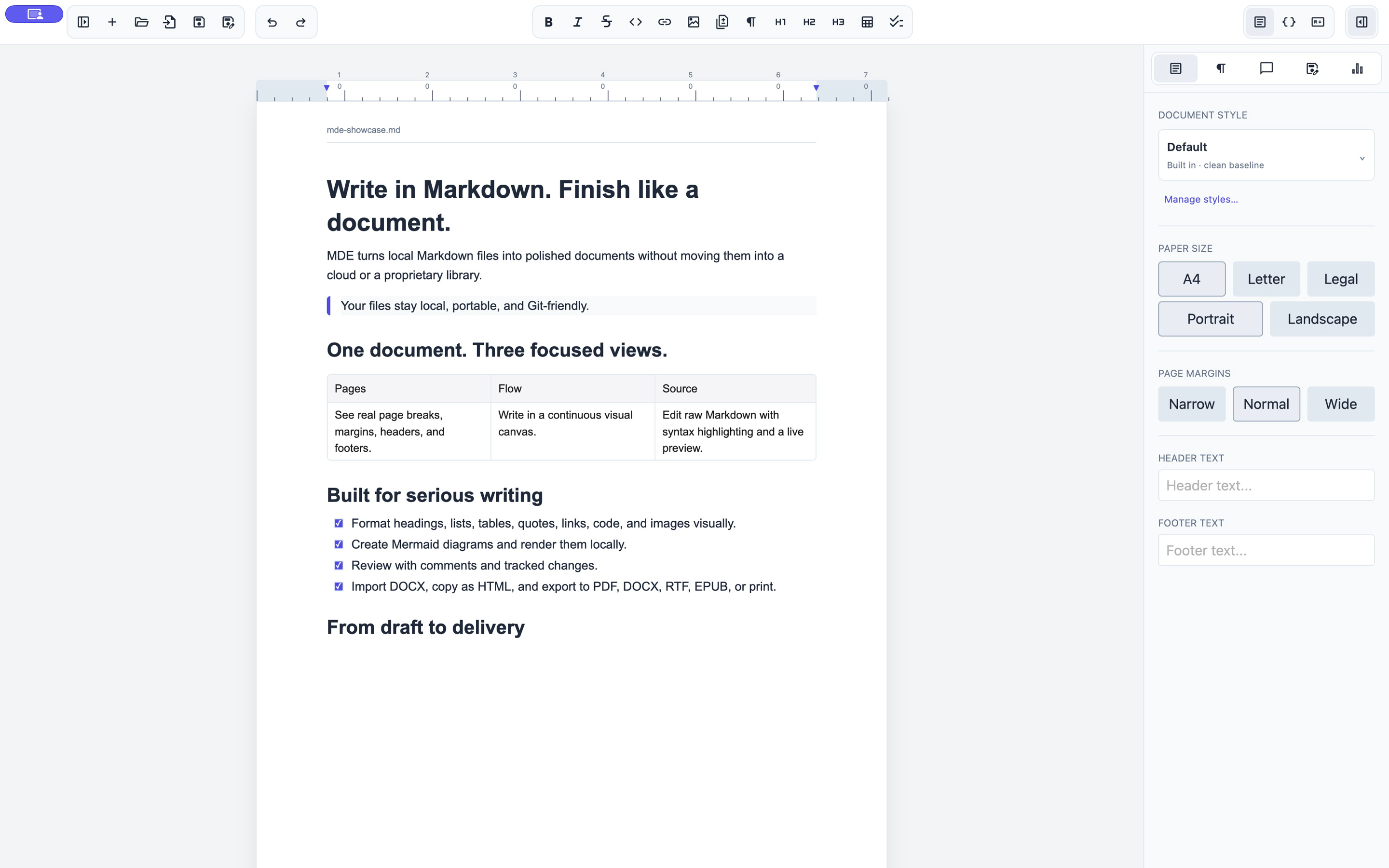
Draft in Flow, refine the layout in Pages, or edit Markdown directly in Source.
Set typography, margins, headers and footers. Add tables, images and diagrams.
Send a finished PDF or choose HTML, DOCX, RTF or EPUB. Keep your original Markdown.
The direct downloads below start a 14-day full-feature trial on first launch. No card is required. After the trial, you can still open and copy your documents; editing, saving, export and printing require a license.
Buy a license on this site, then open My licenses. Copy the installation ID from MDE, generate an activation code, and paste it into the app. See pricing for license terms.
Work offline with local .md and .markdown files. Use .mde.md for comments, tracked changes and richer document settings. Focus mode hides distractions; the outline and file tree help navigate longer work.
Use PDF for finished page layout. DOCX and RTF use captions or source references for images. An MDE package bundles the document, local images and supporting metadata.
Download MDE and start your trial. No sign-in or purchase required.
On Windows, check Settings → System → About → System type: choose x64 for an x64-based processor or ARM64 for an ARM-based processor. On macOS, check Apple menu → About This Mac: Apple Silicon installers require an Apple chip.
Buy a license to activate the application. The installers above are available without purchase · $29. The merchant of record shown at checkout handles payment, receipts, taxes, and billing support.
Checking license…